Platform Features Labels Pricing Support About Contact

AXITRAQ in Your Pocket

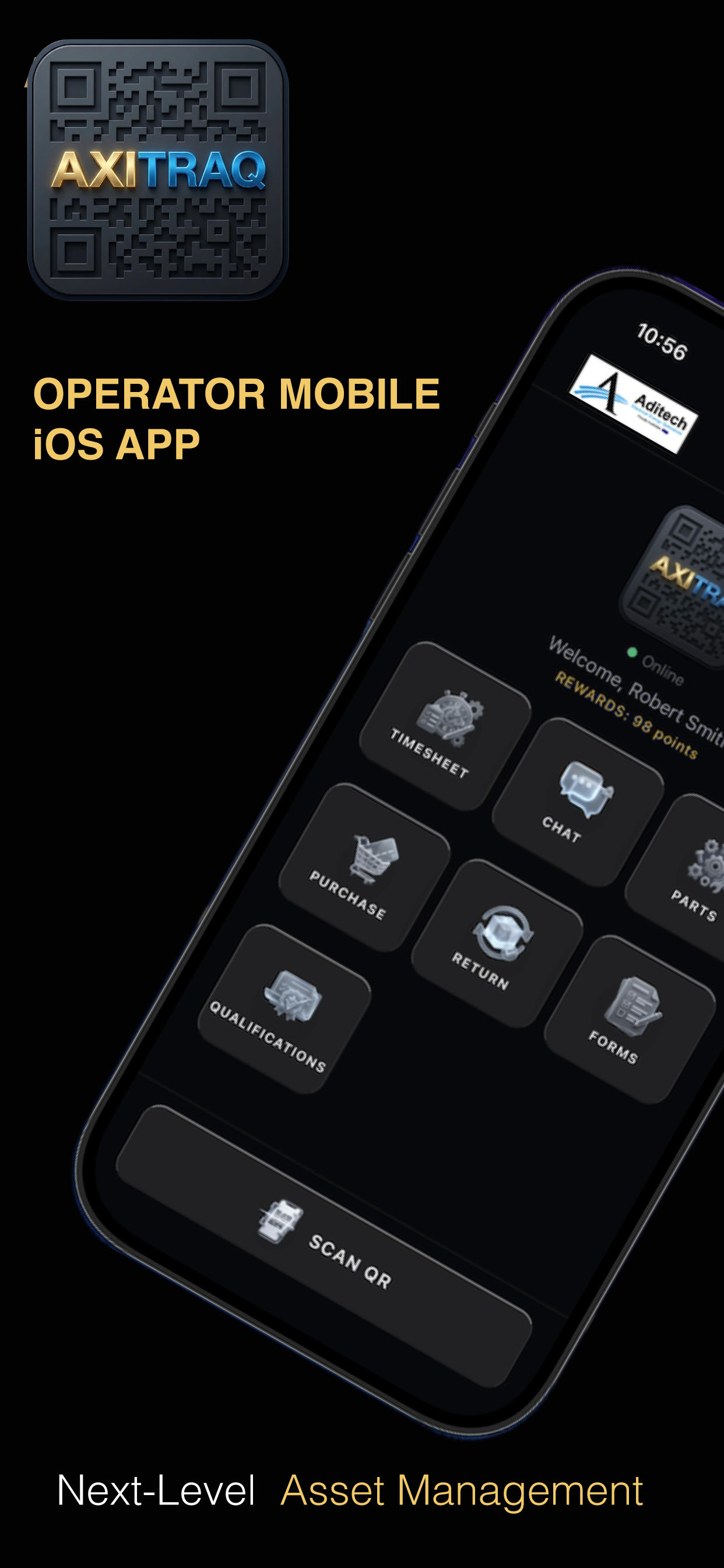
The AXITRAQ Operator App puts the full power of next-level asset management into the hands of every employee and contractor in the field. Identical on iPhone and Android — scan QR codes, complete checklists, submit timesheets, capture invoices, manage qualifications, and more.

Encrypted & Secure iPhone & Android Real-Time Sync Free Download
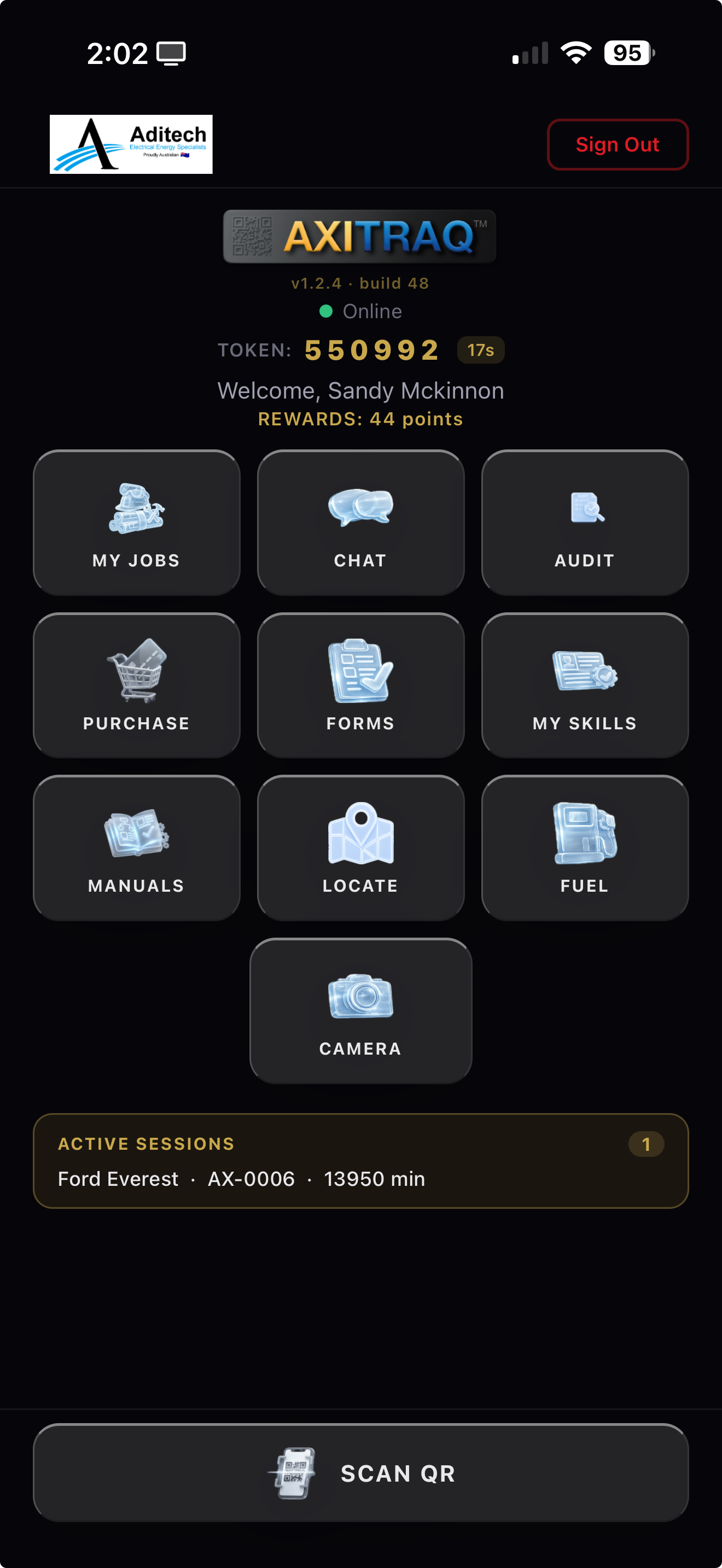
AXITRAQ App — Home screen with QR scanner, My Jobs, Chat, Audit, Forms and more AXITRAQ App — My Jobs schedule showing assigned jobs and submission status AXITRAQ App — Timesheet entry with job selection and parts/materials added AXITRAQ App — Form submitted successfully with auto-generated PDF AXITRAQ App — Private in-business chat with SMS delivery
QR Code Scanning

Scan. Identify. Act.

Every asset and piece of equipment gets a unique AXITRAQ QR code. One scan from your phone opens that asset's full context — checklists, forms, maintenance history, manuals, and GPS location. No searching, no paperwork, no delays.

  • Scan QR to trigger Pre-Start and Post-Stop checklists & inspections
  • Scan QR to consume Parts & Materials against an asset
  • Scan QR to Start/Stop Onsite, complete SWMS & job conformance
  • GPS location logged with every scan event
AXITRAQ App Home Screen with Scan QR button
Timesheets

Submit Hours From the Field

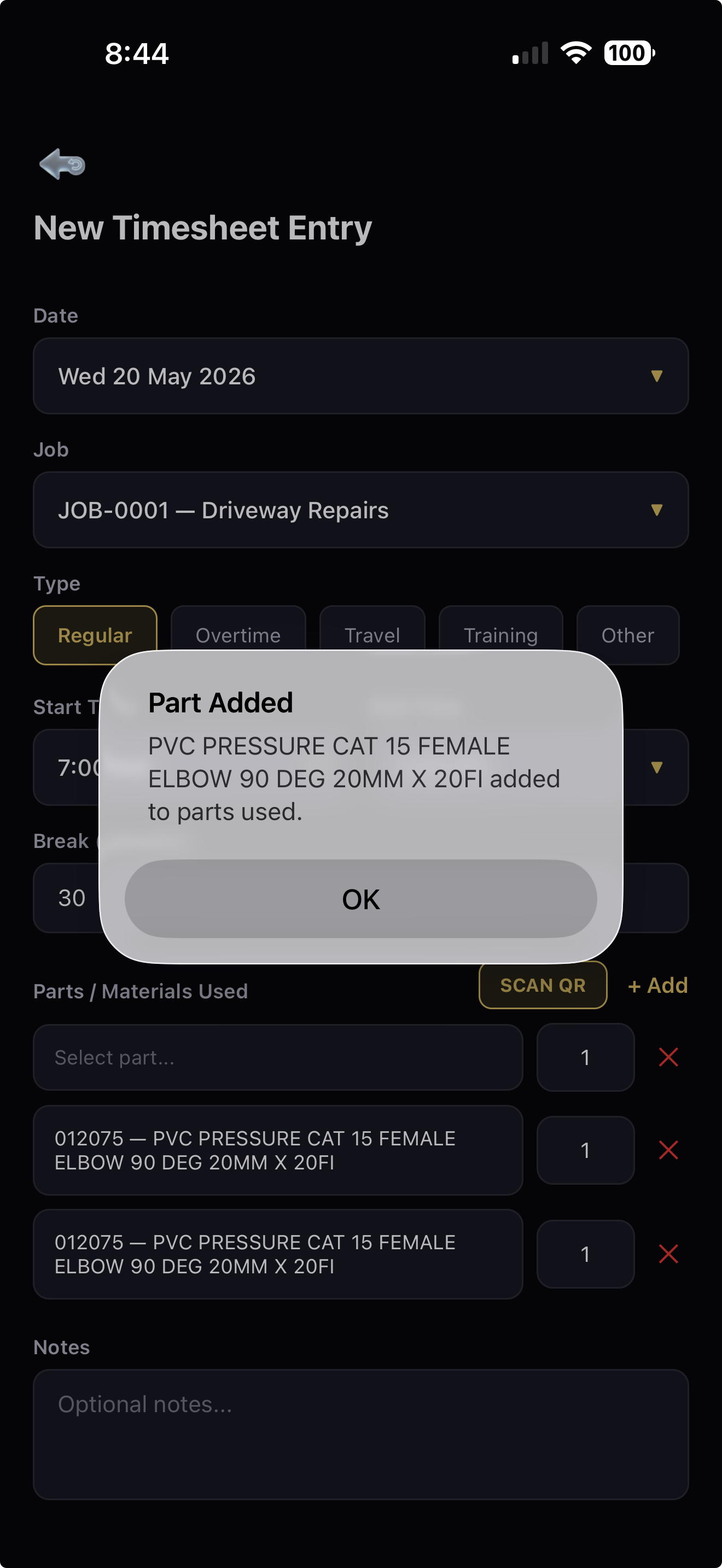
Operators select their job, set start and finish times, choose time type — Regular, Overtime, Travel, or Training — add break minutes, and attach parts and materials used. One tap to submit. Fast, accurate, and eliminates paper timesheets entirely.

  • Apply start/finish times selectively to jobs
  • Add Parts & Materials directly to a job
  • Regular, Overtime, Travel & Training types
  • Notes field for additional context
AXITRAQ App Timesheet Entry with parts and materials added
Parts & Materials

Find Any Part, Anywhere

Search for and locate any part or material across your entire inventory directly from your phone. Whether you're on a job site, in a warehouse, or at a supplier — find what you need, check stock levels, and identify the right component instantly.

  • Full parts & materials search and locate
  • Search by part number, name, or keyword
  • View stock on hand and location details
  • Cross-referenced to equipment and assets
AXITRAQ App Parts and Materials
Forms & Checklists

Complete Job Forms On the Spot

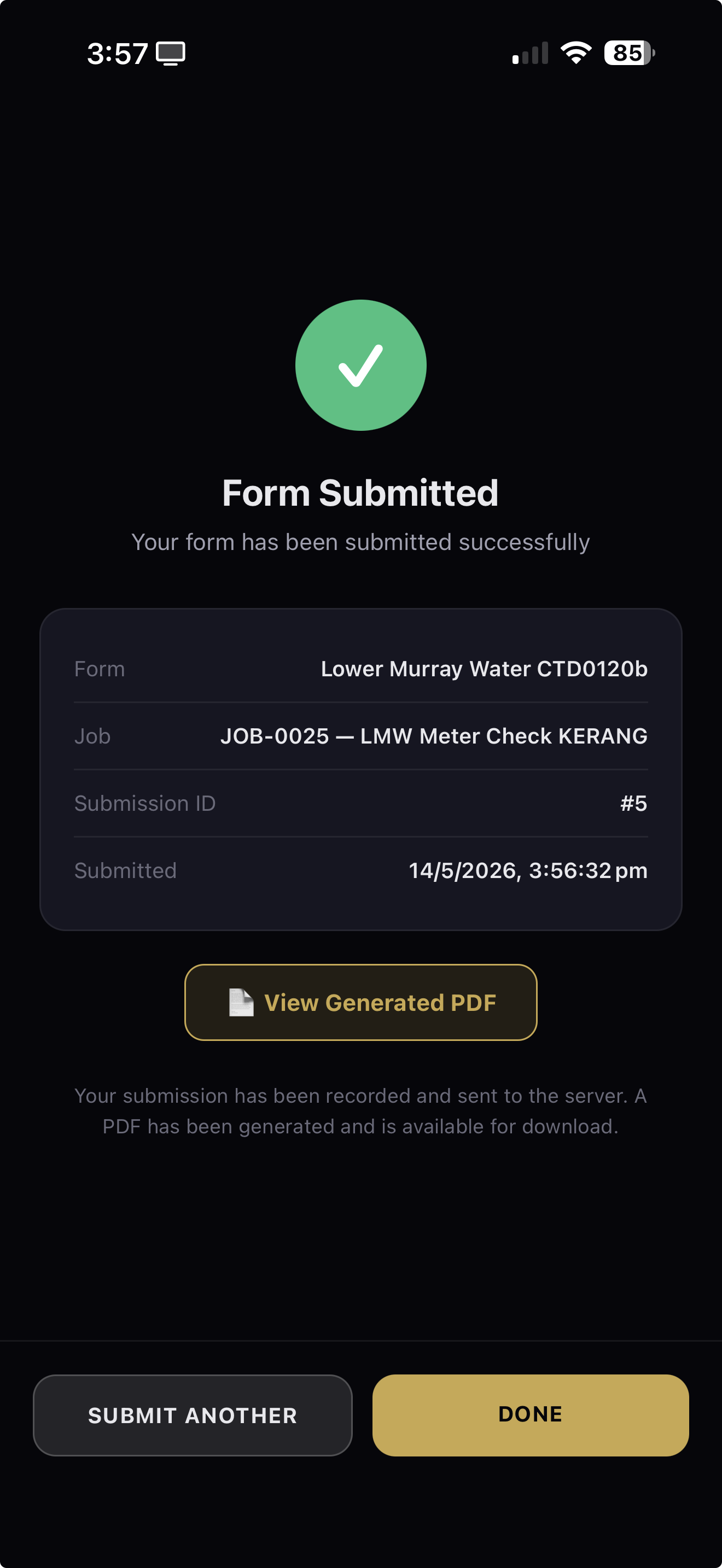
Complete specific forms as simple checklists right on your mobile device. Each completed form generates a formatted PDF with all captured data, loads to the operator's employee or contractor record, and pushes to nominated email addresses or locations automatically.

  • Pre-start, post-stop, inspection & SWMS checklists
  • Auto-generated formatted PDF output
  • Pushes to nominated email or location
  • Saved to operator's employee/contractor record
AXITRAQ App Form Submitted with auto-generated PDF
Purchase & Invoices

Purchase to Stock in One Flow

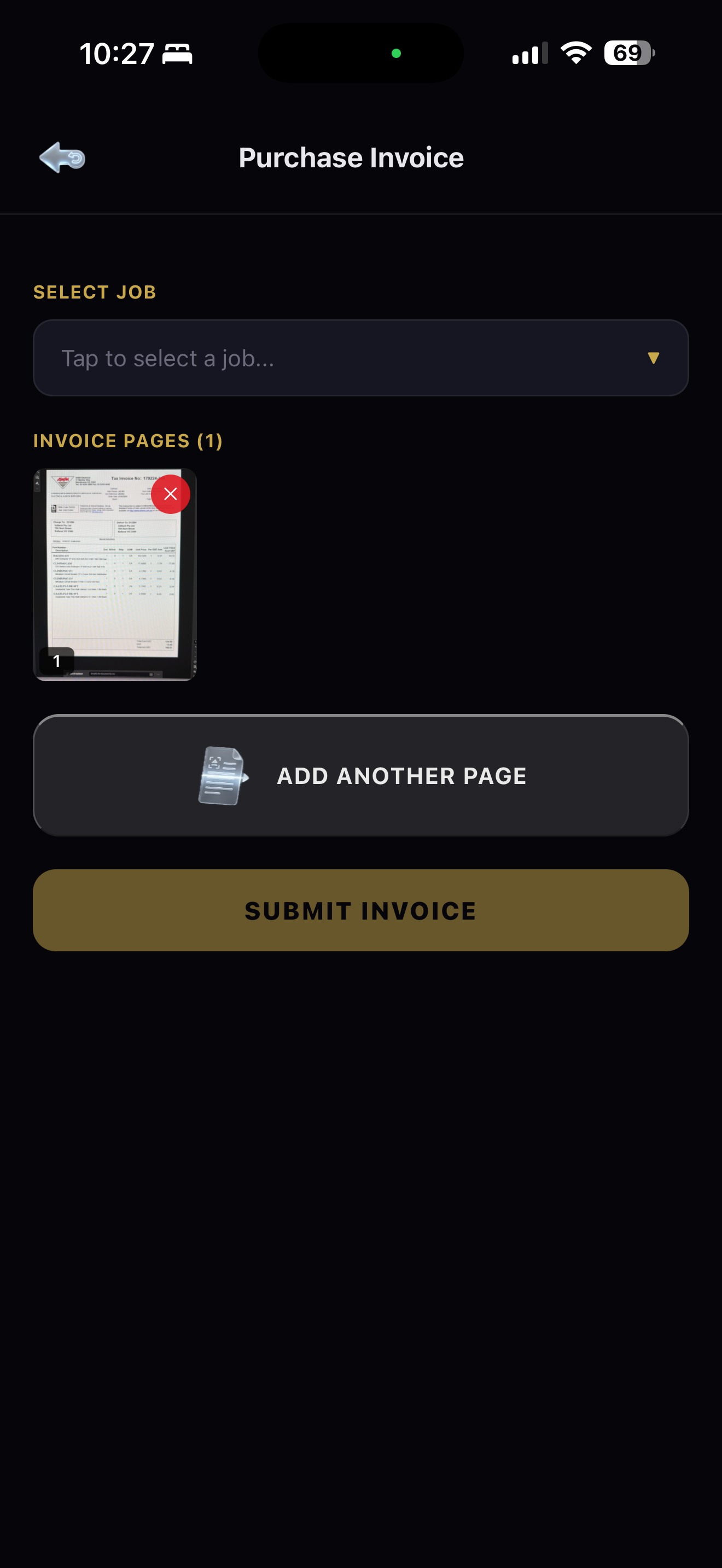
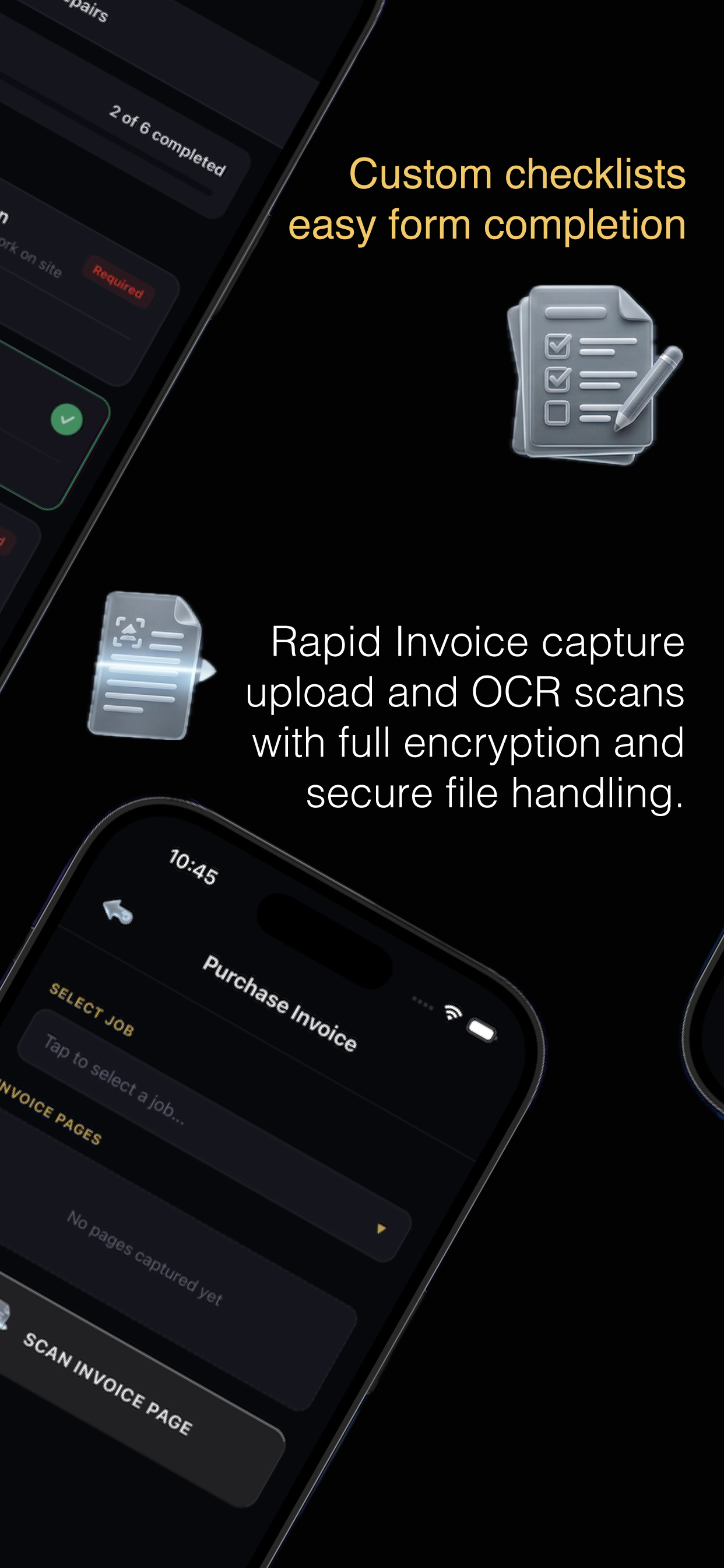
Obtain a purchase order for over-the-counter purchases, then photograph and upload the invoice directly to the job. Full OCR reads parts, materials, and prices from the invoice — automatically pushing stock into your inventory system. From counter to stock in minutes, not days.

  • Obtain purchase orders on the go
  • Scan & upload invoices with full OCR extraction
  • Parts, materials & prices auto-pushed into stock
  • Fully encrypted upload and storage
AXITRAQ App Purchase Invoice Capture
Returns

Returns & Credits, Handled Automatically

Return goods over the counter, scan and upload the invoice or credit note, and the system automatically applies the credit value and removes the corresponding stock from Parts & Materials on hand. No manual adjustments, no reconciliation headaches.

  • Scan & upload return invoice or credit note
  • Automatic credit value application
  • Automatic stock removal from inventory
  • Full audit trail on every return transaction
AXITRAQ App Returns and Credit Processing
In-App Chat

Private Business Messaging

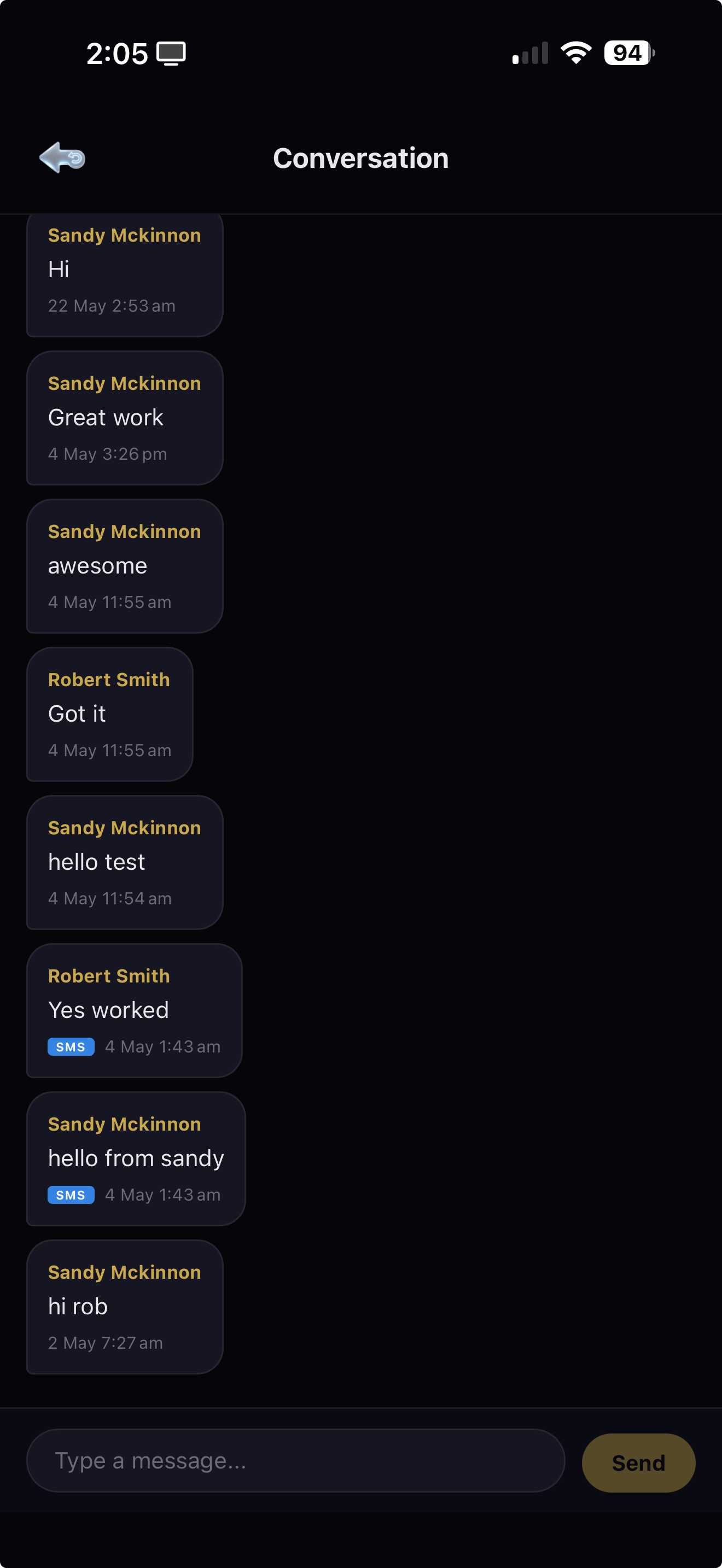
Communicate securely within your organisation using the built-in private chat. Message team members, share updates, coordinate on jobs, and keep all work communications in one place — separate from personal messaging apps.

  • Private in-business messaging
  • Direct messaging to any team member
  • Keep work and personal comms separate
  • Secure, encrypted communications
AXITRAQ App In-App Chat conversation with SMS delivery
Qualifications

Your Credentials, Always Current

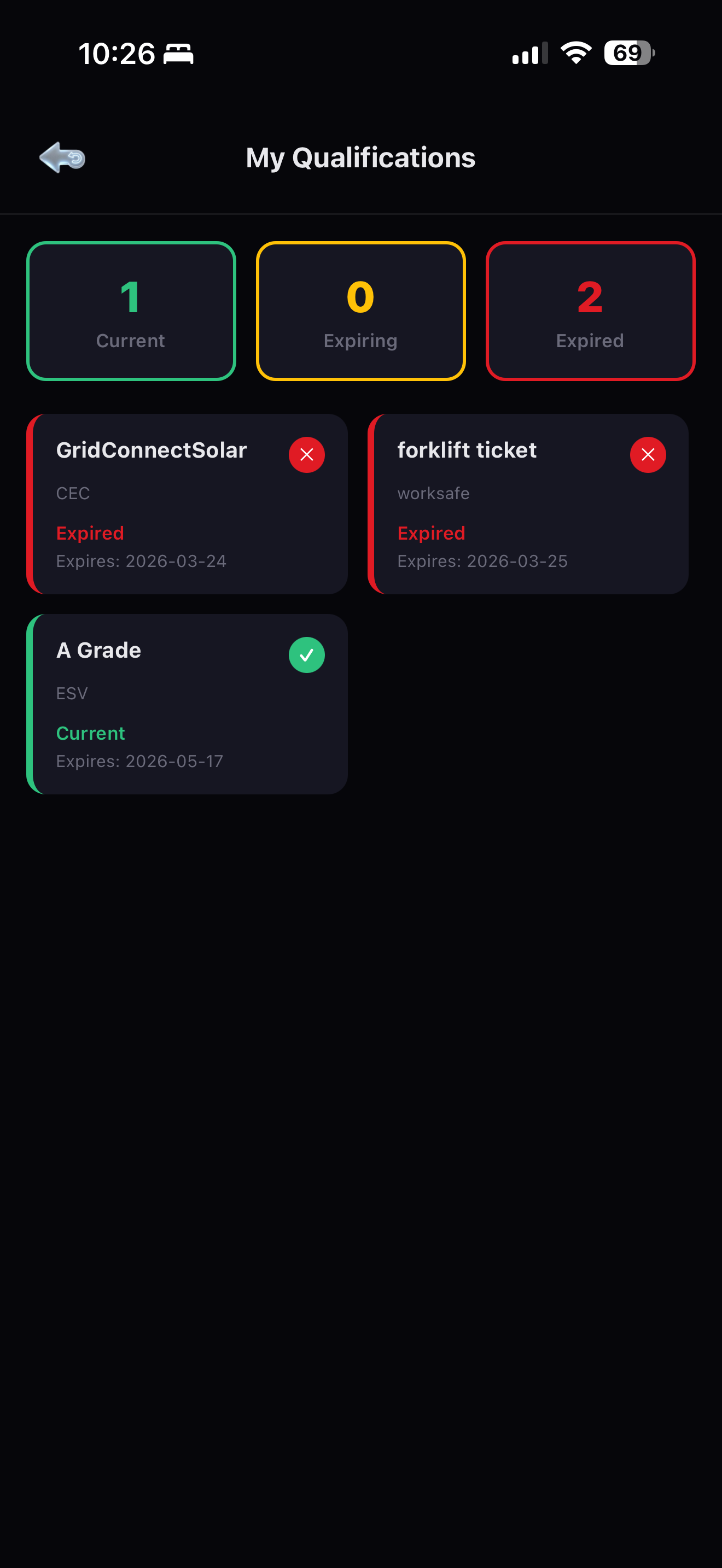
Access the status of all your qualifications, tickets, and licences. View expiry dates at a glance with colour-coded badges — green for current, yellow for expiring, red for expired. Manage and update your credentials as permitted, keeping you compliant and job-site ready.

  • View status of all qualifications, tickets & licences
  • Expiry dates with automatic alerts
  • Manage and update as permitted
  • Current / Expiring / Expired at a glance
AXITRAQ App Qualifications Dashboard
Manuals & Documents

Every Manual, Right There on Site

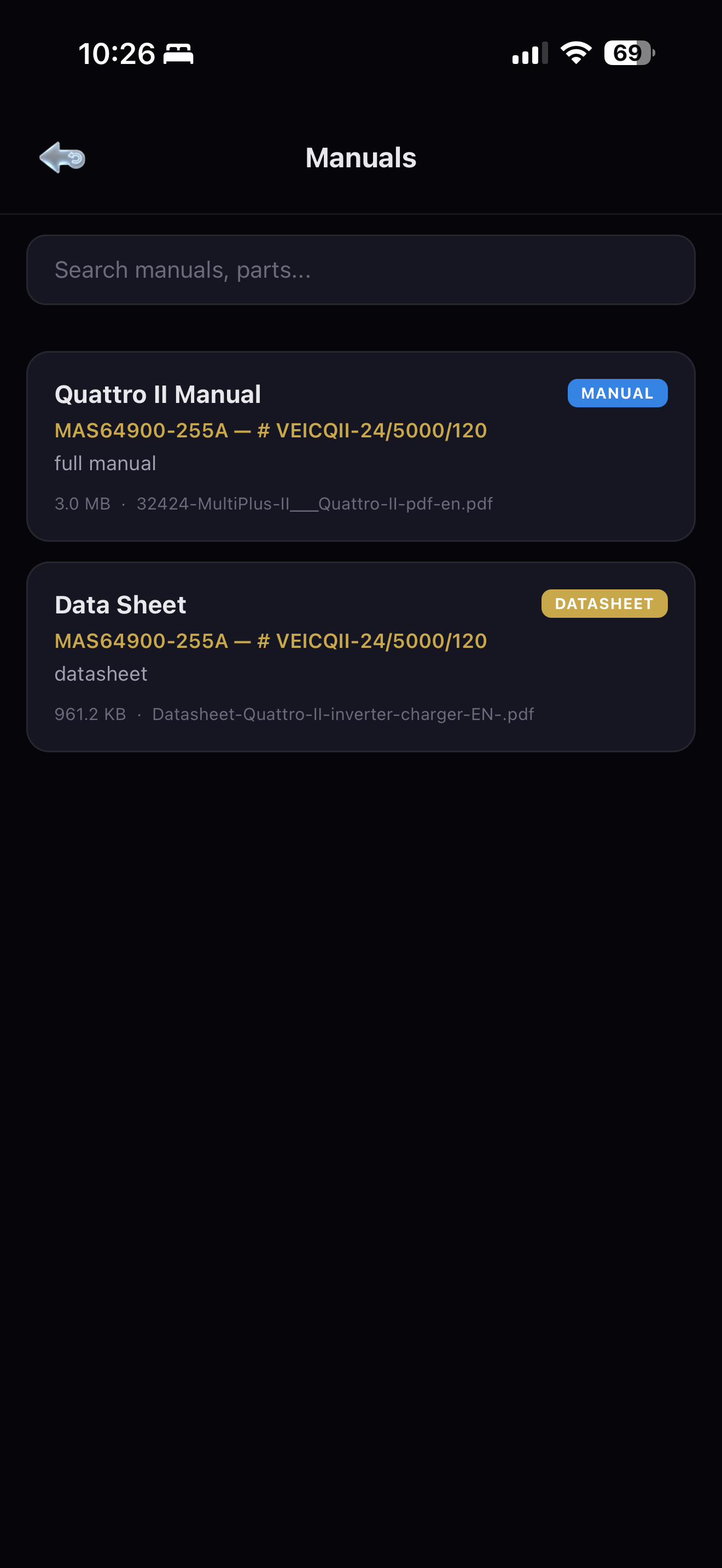
Search and find all available parts and materials manuals, materials handling documentation, and operational guides directly from the app. No more lugging binders or guessing specs — the answer is always in your pocket.

  • All parts & materials manuals available
  • Materials handling documentation on demand
  • Searchable by asset, part number, or keyword
  • PDF viewer built into the app
AXITRAQ App Manuals and Document Repository
Offline & Secure

No Signal? No Problem.

Remote sites, basements, and dead zones don’t stop work. The Operator App keeps running fully offline — scan QR codes, complete checklists, capture photos and log timesheets — then syncs automatically and securely the moment a connection returns. Sign in fast and stay protected with biometric login.

  • Full offline mode — capture work with no connection
  • Automatic, conflict-safe sync when back online
  • Face ID / Touch ID & fingerprint biometric login
  • Push notifications for jobs, approvals & alerts
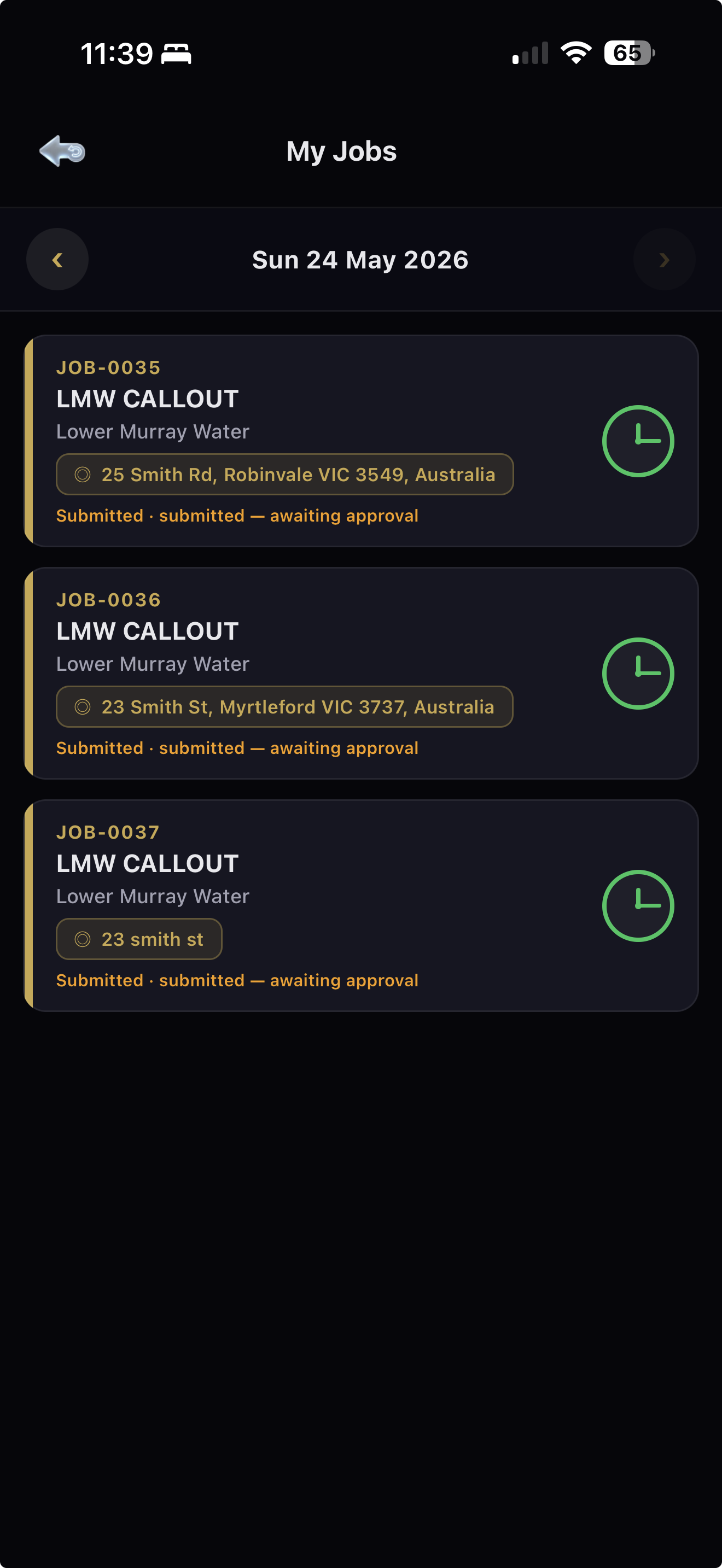
AXITRAQ App My Jobs list captured in the field, syncs when back online

Built for the Field

Every feature in the AXITRAQ Operator App is designed for speed, simplicity, and security — identical on iPhone and Android — so your team can focus on the job, not the admin.

Scan QR

Pre-start, post-stop, consume parts, start/stop onsite jobs, SWMS, and job conformance — all from a single scan.

Timesheets

Apply start/finish times to jobs, add parts & materials used — submit in seconds.

Parts & Materials

Search for and locate any part or material across your entire inventory.

In-App Chat

Private in-business messaging — communicate and coordinate with team members securely.

Purchase & Invoice

Obtain POs, scan invoices with OCR, auto-push parts & materials into stock.

Returns

Scan return invoices/credits — automatic credit value & stock removal applied.

Forms & Checklists

Complete checklists on mobile — auto-generates formatted PDFs pushed to email or records.

Qualifications

View and manage licences, tickets, and certs with expiry tracking and alerts.

Manuals & Docs

Search and access all parts manuals and materials handling documentation on demand.

Job Start / End

Scan site QR to log onsite arrival and departure with SWMS and job conformance checklists.

Offline Mode

Keep working with no signal — everything syncs automatically and securely when you reconnect.

Biometric Login

Sign in instantly and securely with Face ID, Touch ID, or fingerprint authentication.

Push Notifications

Real-time alerts for new jobs, approvals, messages, and expiring qualifications.

AI-Powered Auditing on Tablet

The dedicated Smart Audit App turns an iPad or Android tablet into a rapid asset-capture station. Point the camera at equipment and AI does the data entry — ideal for bulk onboarding, site offices, and workshops.

Image-to-Data Capture

Photograph an asset and AI extracts make, model and details to build the record in seconds.

Nameplate & Compliance OCR

Read serial numbers and compliance-plate data straight from a photo — no manual typing.

Object Recognition

AI identifies equipment types and suggests categories to speed up classification.

Bulk Onboarding

Capture entire fleets and stores fast — a workshop or site office can onboard hundreds of assets in a session.

Built for Larger Screens

A tablet-optimised interface designed for site offices, workshops and audit days.

Same Security, Same Data

Captured assets flow into the same encrypted, in-region platform as everything else — instantly.

iPad & Android tablet apps in development

Ready to Put AXITRAQ
in Your Pocket?

Download the free AXITRAQ Operator App. Available for all employees and contractors with an active AXITRAQ account.