Features Labels Pricing Support About Contact
Home Features Locate & Mapping

Find Any Asset,
Anywhere

Interactive Leaflet map with GPS tracking, 21 professional construction icons, satellite/street/hybrid views, employee location history, address search, and photo geo-tagging — see your entire operation at a glance.

21
Map Icons
3
Map Views
GPS
Real-Time Tracking
Employee History
Interactive Map

Full-Featured Leaflet Map Interface

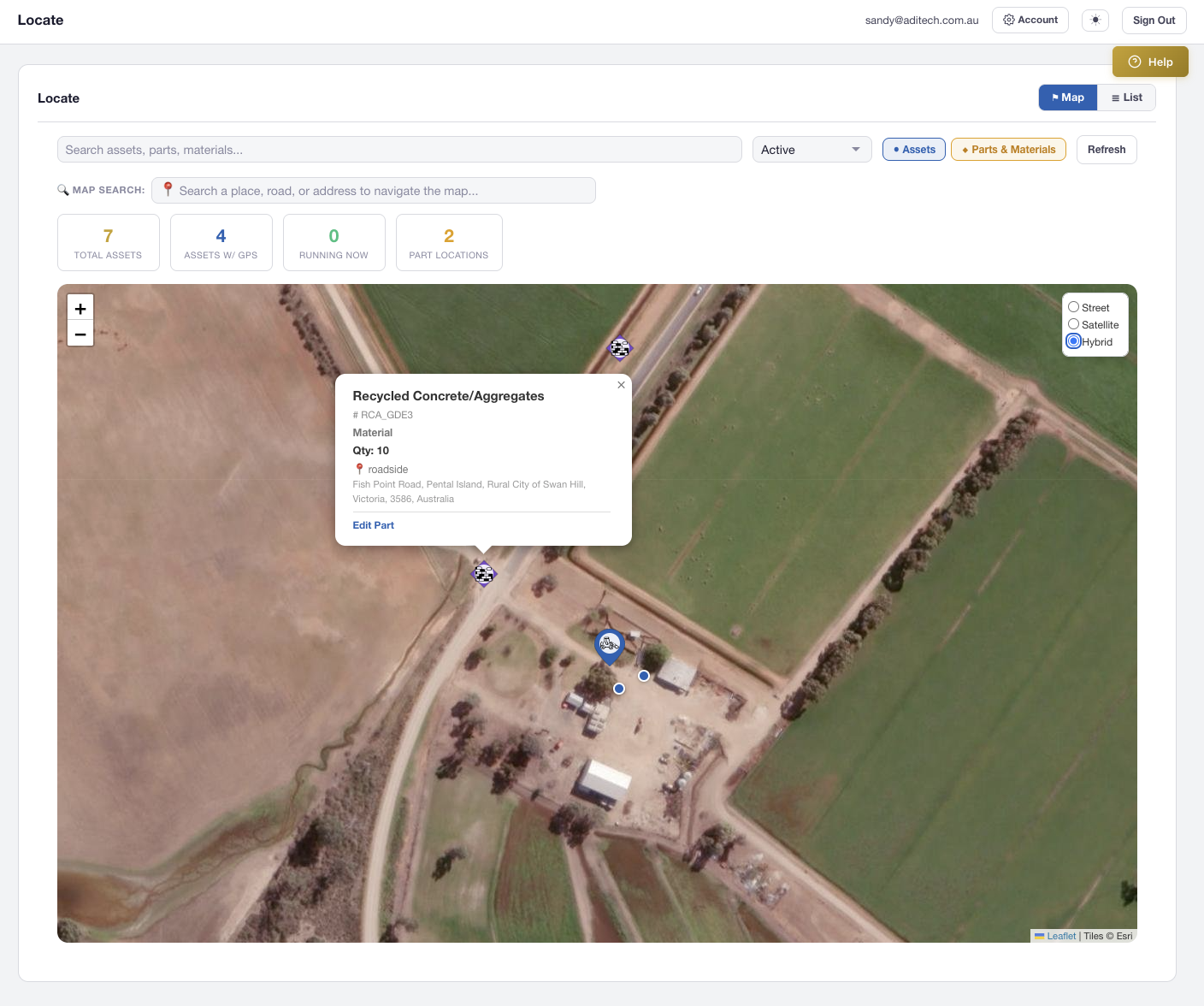
Built on Leaflet.js, the Locate map combines every asset, part, and employee location into a single searchable view. Switch between Street, Satellite, and Hybrid tile layers to match your environment — from urban workshops to remote mine sites.

  • Street (OpenStreetMap), Satellite (ESRI), and Hybrid tile layers
  • Full-screen mode to expand the map across the entire viewport
  • Responsive across desktop, tablet, and mobile browsers
  • Layer control switcher in the top-right corner
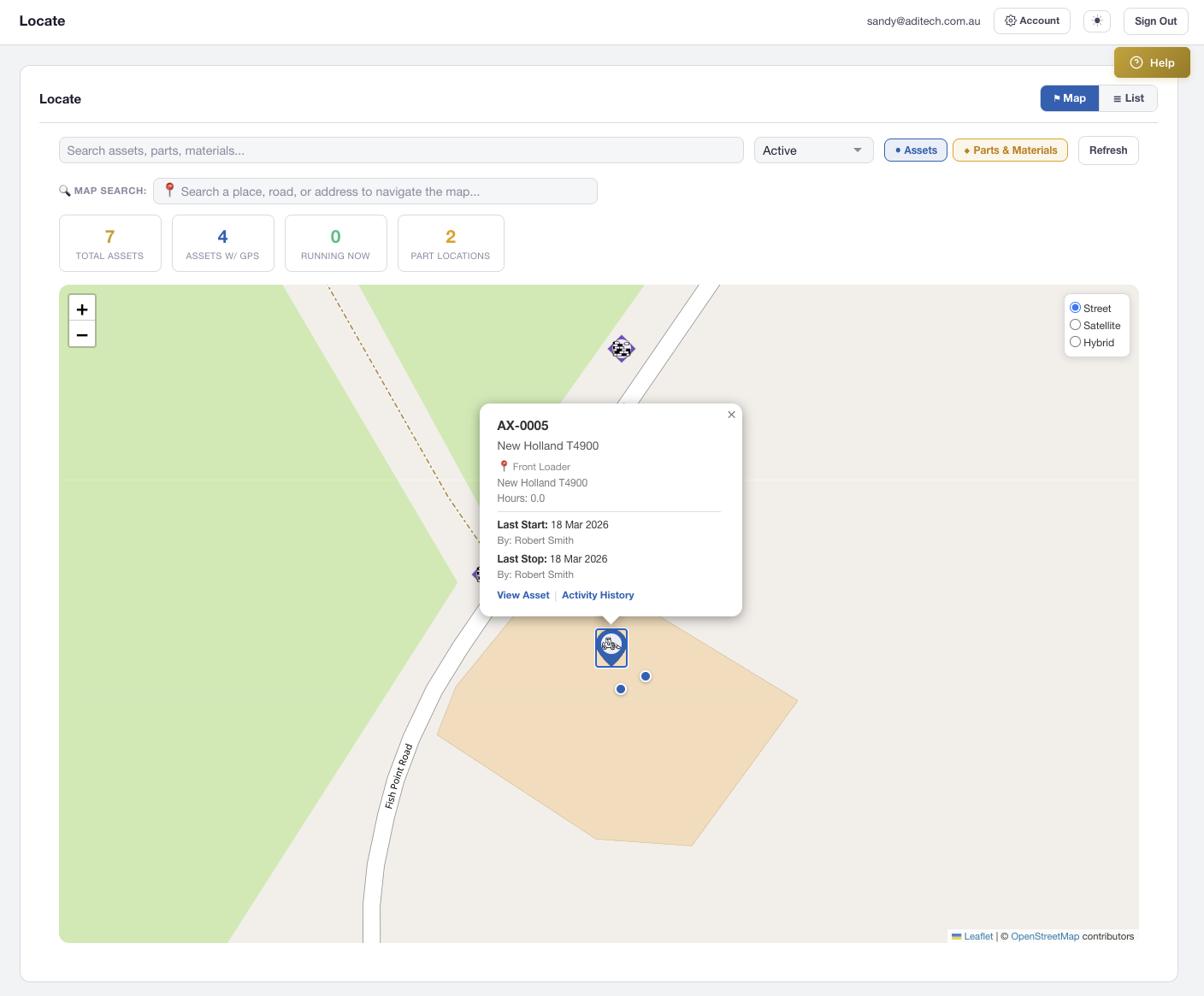
AXITRAQ Interactive Map with Asset Pins
Asset Pins & Icons

21 Professional Map Icons

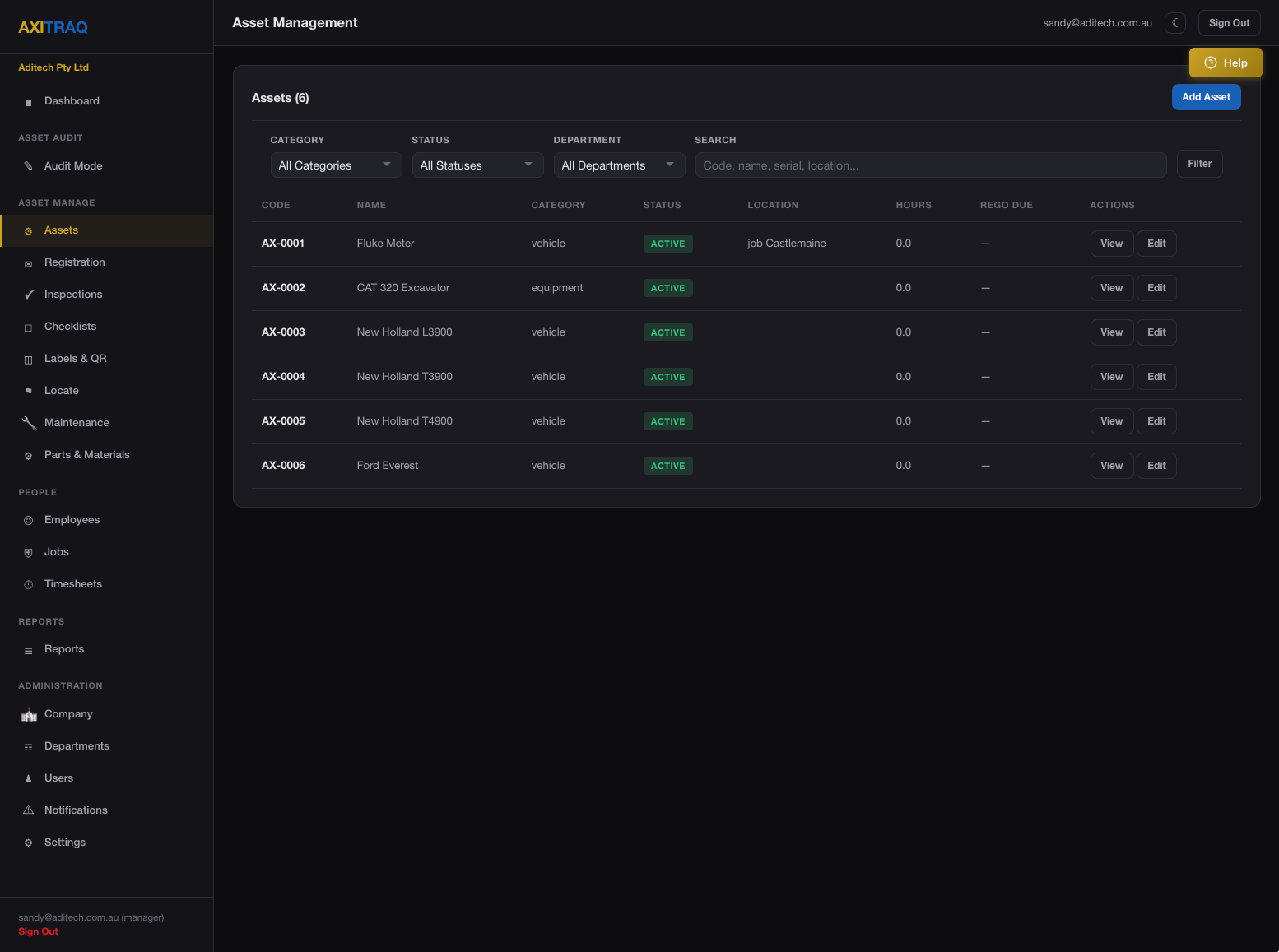
Assets appear as colour-coded teardrop SVG pins with category-specific icons rendered as white silhouettes. Assign icons per asset for instant visual identification on the map.

Vehicles

Vehicle, Semi Truck, Dump Truck

Heavy Machinery

Bulldozer, Excavator, Crane, Grader, Forklift & more

Tools

Drill, Hammer, Jackhammer, Shovel, Toolbox

Implements

Wheelbarrow, Trailer

Inventory

Material (Bricks)

Parts & Materials Pins

Inventory on the Map

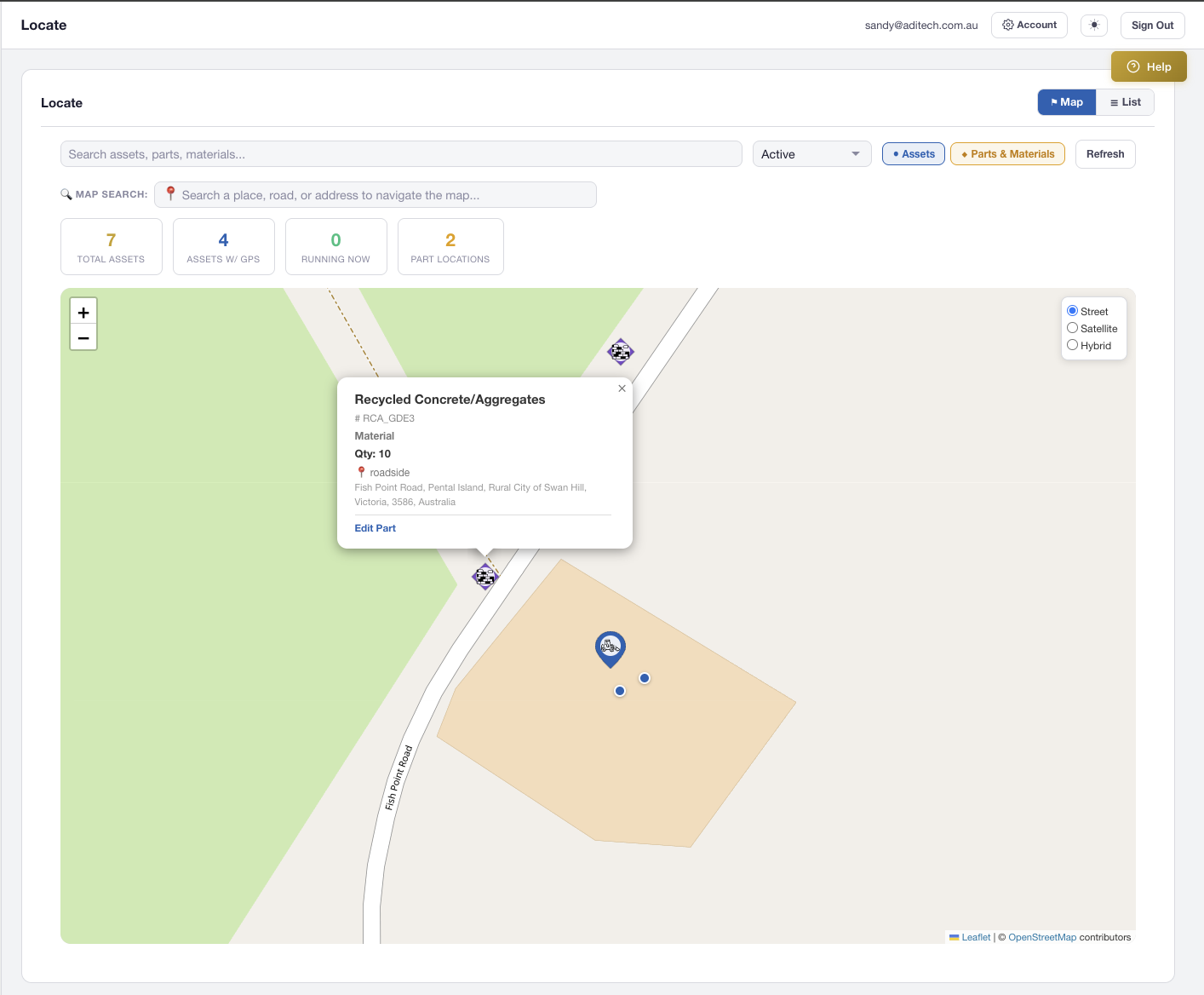
Inventory locations with GPS coordinates appear as diamond-shaped pins — visually distinct from teardrop asset pins. Toggle the parts layer independently to focus on what matters.

  • Amber pins for parts, Purple for materials, Teal for both
  • Diamond shape distinguishes inventory from assets at a glance
  • Separate AJAX loading for fast parallel layer rendering
  • Location types: Warehouse, Vehicle, Field, Office, Workshop
AXITRAQ Materials on Map
Popups & List View

Click a Pin, See Everything

Clicking any pin reveals a rich popup with asset name, code, category, status, icon type, and current holder — with a direct link to the edit page. The companion List View provides a sortable table of all mapped items.

  • Asset popups with name, code, category, status, and holder
  • Sortable table view for assets and parts side-by-side
  • Click any row to fly to the pin on the map
  • Stats bar with total assets, status breakdown, and part counts
AXITRAQ Map Popup and List View
Address Search

Search by Place, Road, or Address

Type any location into the search bar and choose from Google Places autocomplete suggestions. The map flies to the selected location with a smooth animation and drops a temporary pin. Enter-key searches fall back to OpenStreetMap Nominatim for areas without Google coverage.

  • Google Places API with autocomplete suggestions
  • Nominatim fallback for general area and road searches
  • Animated fly-to with temporary search pin marker
  • Essential for rural users operating without street addresses
AXITRAQ Hybrid Satellite Map View
Employee Location History

Track Your Team's Movements Over Time

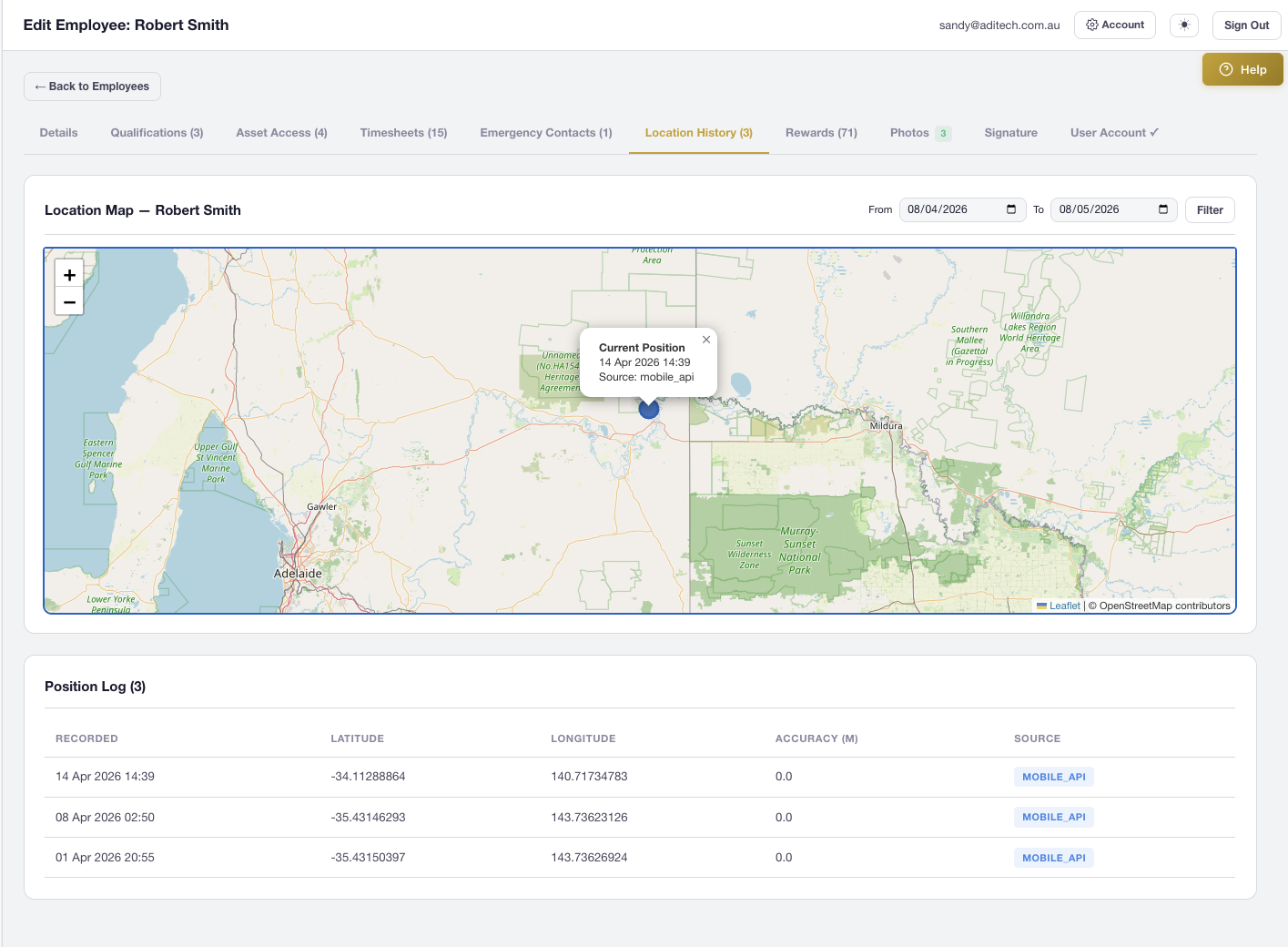
The Employee Edit page includes a dedicated Location History tab with an interactive Leaflet map. View the current position as a prominent marker, historical positions with timestamps, and filter by date range to review any period.

  • Passive GPS tracking on every mobile app API call
  • 60-second throttle and 5-minute movement deduplication
  • Extended GPS: heading, altitude, speed, accuracy, compass direction
  • Scrollable log table and date-range filter below the map
AXITRAQ Employee Location History
Inspection Location

GPS-Enabled Inspections

Every inspection supports GPS capture with an interactive map. Inspectors can auto-detect their position, search for an address, tap the map to drop a pin, or drag the marker for fine-tuning — coordinates update in real-time.

  • “Get Current GPS” button for instant device location
  • Address/place search via Nominatim geocoding
  • Tap or click anywhere on the map to drop a pin
  • Draggable marker for precise location fine-tuning
AXITRAQ Inspection GPS Location
Coordinate Formats

Any Format. Automatic Parsing.

Enter GPS coordinates in decimal degrees, DMS, decimal minutes, or with direction suffixes. AXITRAQ automatically normalises Unicode symbols copied from Google Maps and iOS — no manual cleanup needed.

  • Decimal degrees: −35.4315, 143.7362
  • DMS: 35°25′53.5″S, 143°44′10.3″E
  • Decimal minutes and direction-suffix formats
  • Unicode prime/quote normalisation for Google Maps & iOS paste
AXITRAQ Coordinate Input Formats
Photo Geo-Tagging

Every Photo Knows Where It Was Taken

Photos captured via the AXITRAQ mobile app embed full GPS coordinates, compass direction, altitude, and accuracy metadata. The photo lightbox includes a direct map link to the exact capture location.

  • GPS latitude and longitude on every captured photo
  • Compass heading in degrees for directional context
  • Altitude and location accuracy metadata
  • Lightbox map link to pinpoint the capture location
AXITRAQ Photo Geo-Tagging

Ready to Map Your
Entire Operation?

Start your 30-day free trial and see every asset, part, and team member on a single interactive map.