Features Labels Pricing Support About Contact
Home Features Inspections & Checklists

Smart Inspections &
Digital Checklists

Build any checklist with a visual drag-and-drop builder — pre-start, post-stop, inspection, maintenance, or custom. Complete with PDF generation, multi-party signing workflows, and GPS-stamped audit trails for total compliance.

10
Item Types
Pre/Post
Checklists
PDF
Generation
Multi
Party Signing
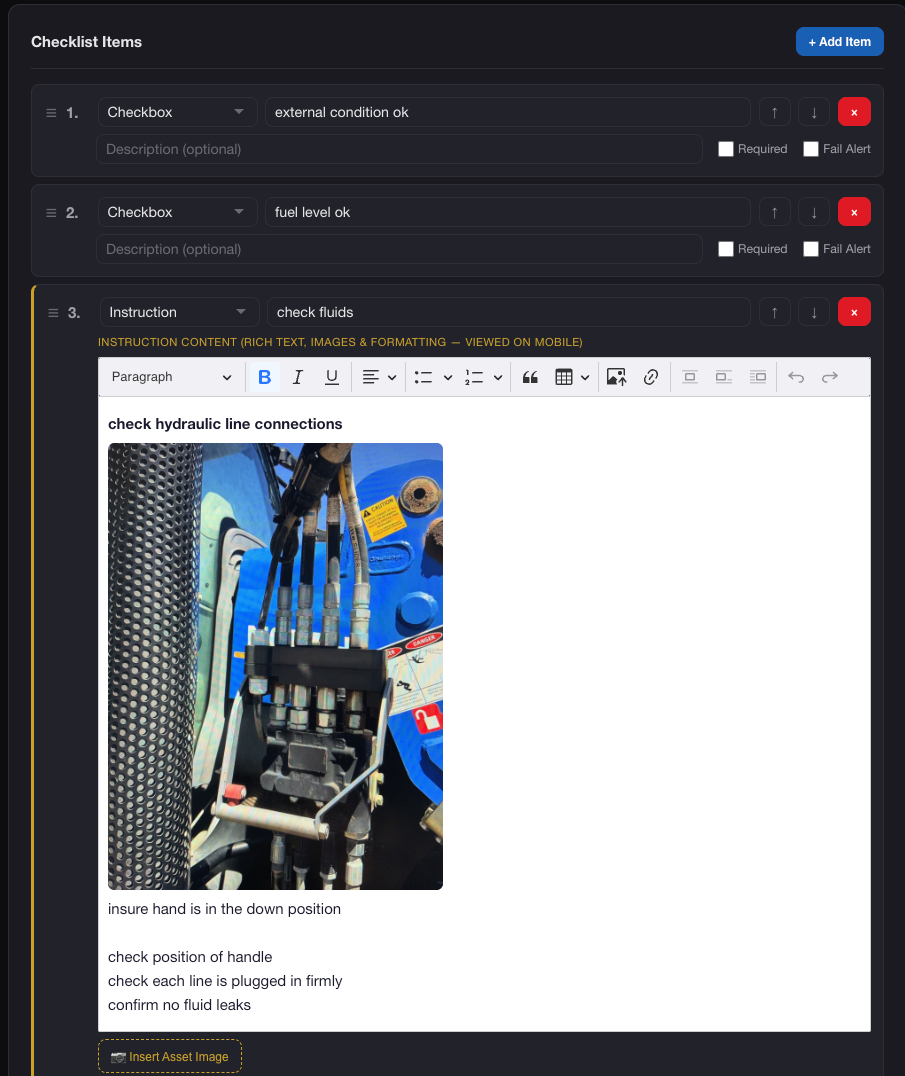
Visual Checklist Builder

10 Powerful Item Types

Build any checklist with a drag-and-drop interface. Mix and match item types to create pre-start checks, safety inspections, maintenance forms, or completely custom workflows.

Checkbox

Pass/fail check items that can trigger automatic fail actions when unchecked

Text Input

Free-text fields for notes, observations, and detailed comments

Number

Numeric input for readings, measurements, hour meters, and quantities

Select

Dropdown selection from your predefined option lists

Photo

Camera capture prompts for evidence photos with GPS metadata

Instruction

Read-only panels with rich HTML content and embedded asset images

Section Header

Visual dividers for organising long checklists into logical groups

Email

Email address input or selection from company contacts

Out of Service

Immediately sets the asset to inactive — blocks further operations until resolved

Book Service

Creates a maintenance request and notifies the configured maintenance team

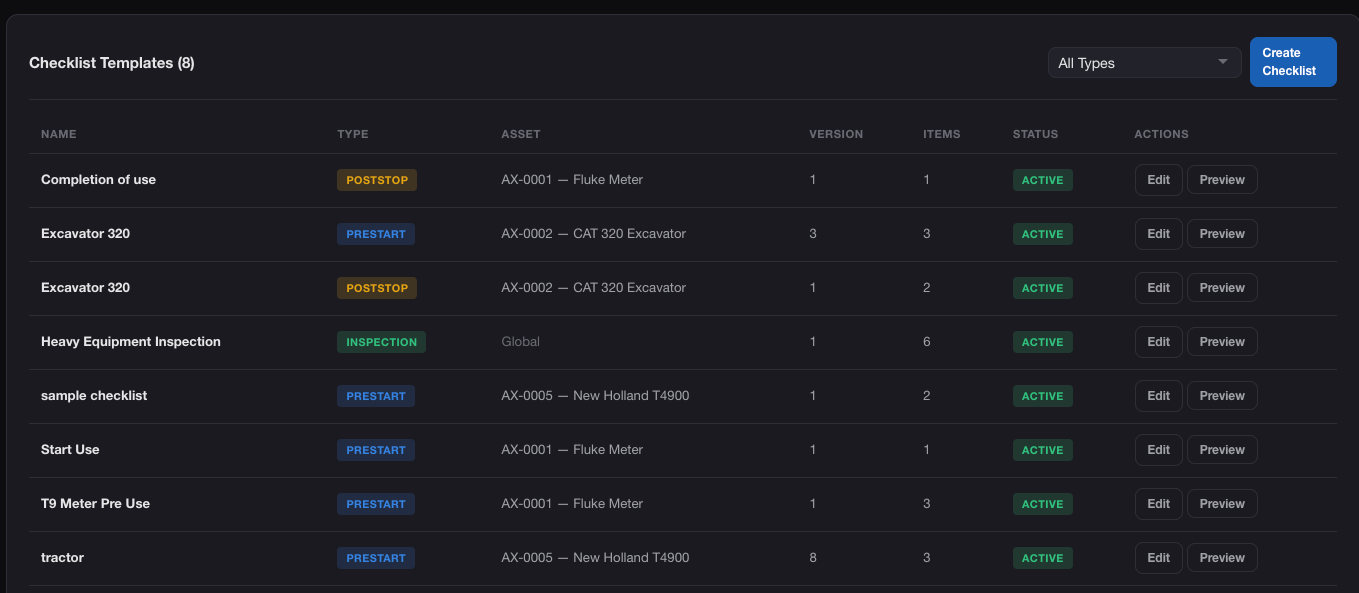
Pre-Start Checklists

Mandatory Checks Before Every Shift

When an operator scans an asset QR code with a pre-start checklist configured, the system enforces completion before the asset can be started. Failed items prevent operation and alert supervisors automatically.

  • “Start Use” button replaced with “Begin Pre-Start Checklist”
  • Multiple pre-start checklists per asset with picker UI
  • All pass → asset auto-started; any fail → supervisor alert
  • Out-of-Service and Book Service items trigger instantly
AXITRAQ Pre-Start Checklist Flow
Post-Stop Checklists

Document End-of-Use Condition

Triggered automatically when an operator stops using an asset, post-stop checklists ensure the end-of-shift condition is fully documented. Missed checklists are caught by nightly cron jobs and feed into the employee rewards system.

  • Automatically triggered on “Stop Use” action
  • Nightly compliance check catches missed post-stop checklists
  • Reward points deducted for missed completions
  • Full condition and damage documentation with photo evidence
AXITRAQ Post-Stop Checklist
Advanced Forms System

Beyond Checklists — Full Digital Forms

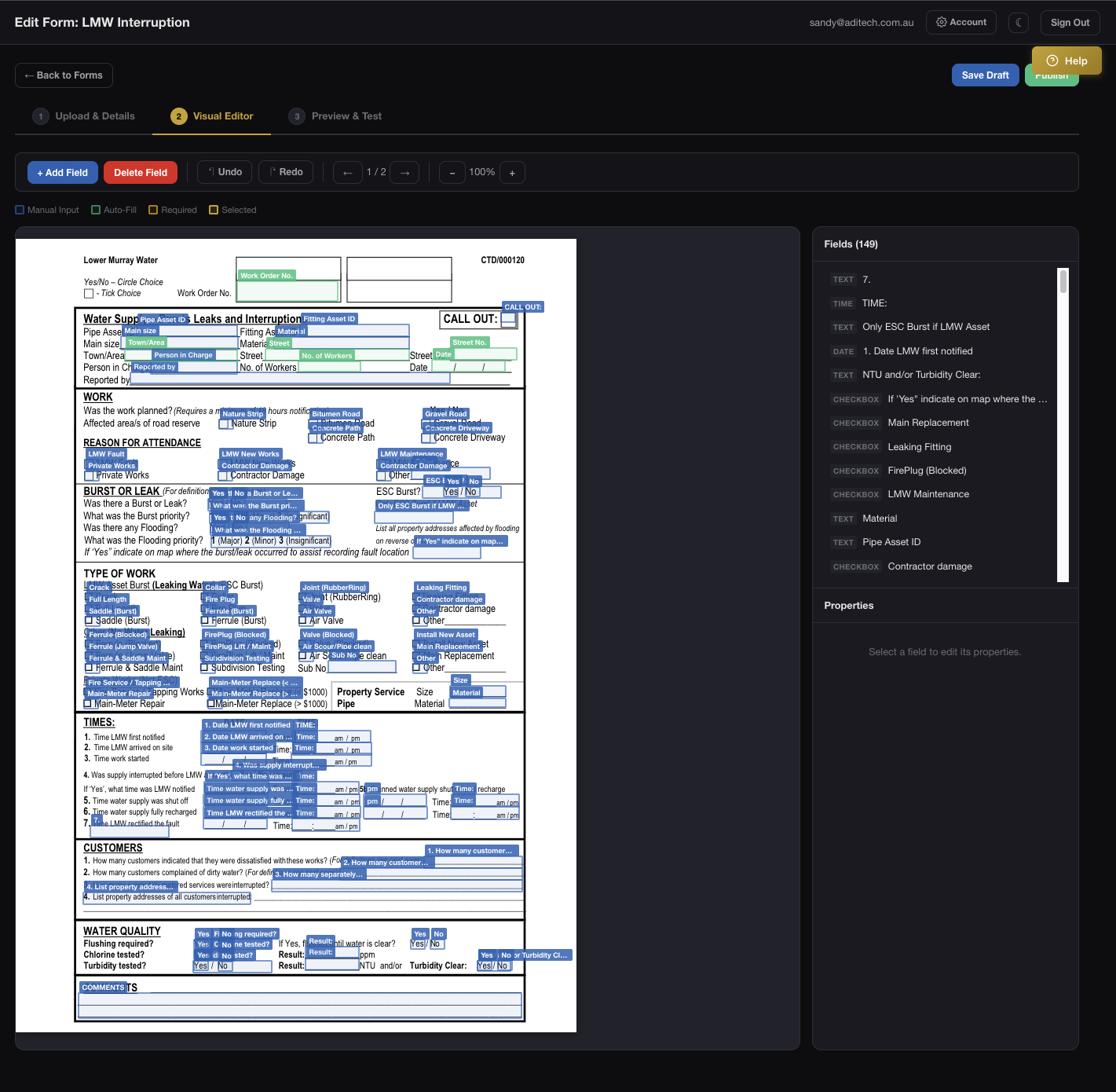
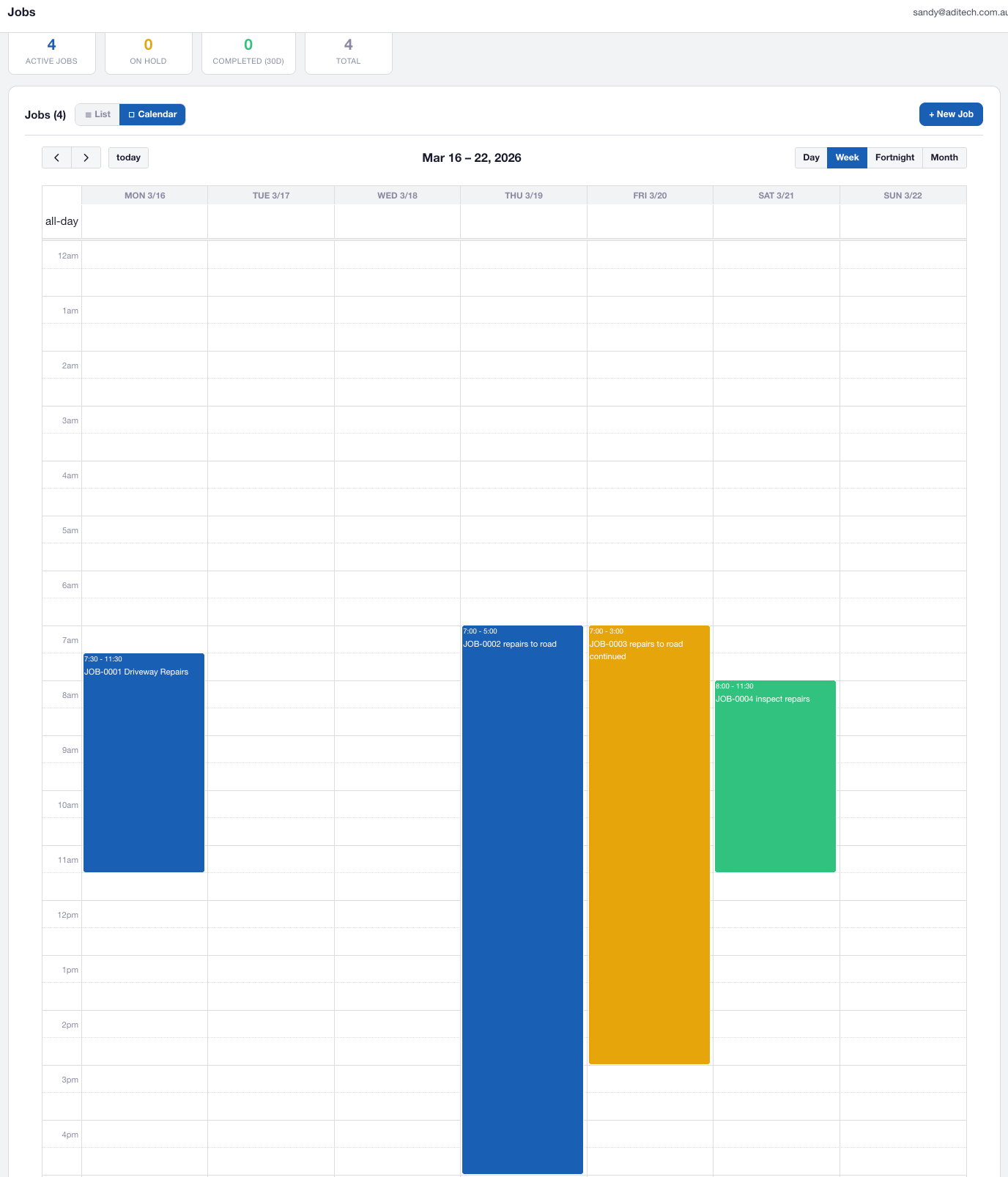
Build sophisticated form templates with a visual field builder. Link forms to existing checklists so responses auto-populate, and assign forms to specific jobs for structured data collection across your workforce.

  • Visual field builder: text, number, textarea, checkbox, dropdown
  • Unique field keys for precise PDF coordinate mapping
  • Link to checklists for auto-populated form responses
  • Job-assigned forms visible to workers in the mobile app
AXITRAQ AI Form Builder
PDF Generation

Pixel-Perfect PDF Output

Two rendering modes ensure your completed forms produce professional documents. Overlay mode imports original PDF forms as backgrounds and places completed data precisely, replicating paper forms digitally. Simple mode generates clean field-list PDFs.

  • Overlay Mode (FPDI): pixel-perfect replication of paper forms
  • Supports text, checkmarks, circles, checkbox groups, multiline
  • Simple Mode (TCPDF): fallback field-list rendering
  • JSON-based coordinate mapping for precise field placement
AXITRAQ PDF Generation
Multi-Party Signing

Complete Signing Workflows

Forms support a full multi-party signing workflow. Supervisors submit drafts, workers receive push notifications to sign from their mobile app, and final sign-off is tracked from draft through to completion.

  • Draft → Pending Signatures → Pending Review → Completed
  • Push and in-app notifications for all assigned signers
  • Signature profiles with authority document uploads
  • Configurable signature slots per form template
AXITRAQ Multi-Party Signing
Full Mobile Support

Complete Checklists from Anywhere

The AXITRAQ mobile app delivers full checklist and form support in the field. Pre-start and post-stop checklists are triggered automatically during QR-based asset operations, with offline capability and background sync.

  • QR-triggered pre-start and post-stop checklists
  • Form filling with validation and progress tracking
  • Offline capability with sync when connectivity returns
  • Push notifications for pending signature requests
AXITRAQ Mobile Checklists
Compliance & Audit Trail

Immutable Records. Total Accountability.

Every checklist and form submission is permanently recorded with operator identity, GPS coordinates, and timestamps. Submissions cannot be modified after completion, providing a tamper-proof audit trail for regulators and compliance teams.

  • Immutable submissions — no post-submission edits
  • GPS location and timestamp recorded at completion
  • Evidence photos stored securely on AWS S3
  • Inspection compliance reports with completion rates
AXITRAQ Compliance Audit Trail

Ready to Digitise Your
Inspections?

Start your 30-day free trial and replace paper checklists with smart digital inspections that keep your team safe and compliant.